Windows Installation
Quick video tutorial
Or follow the guide for the details
Choose your VM in Panel
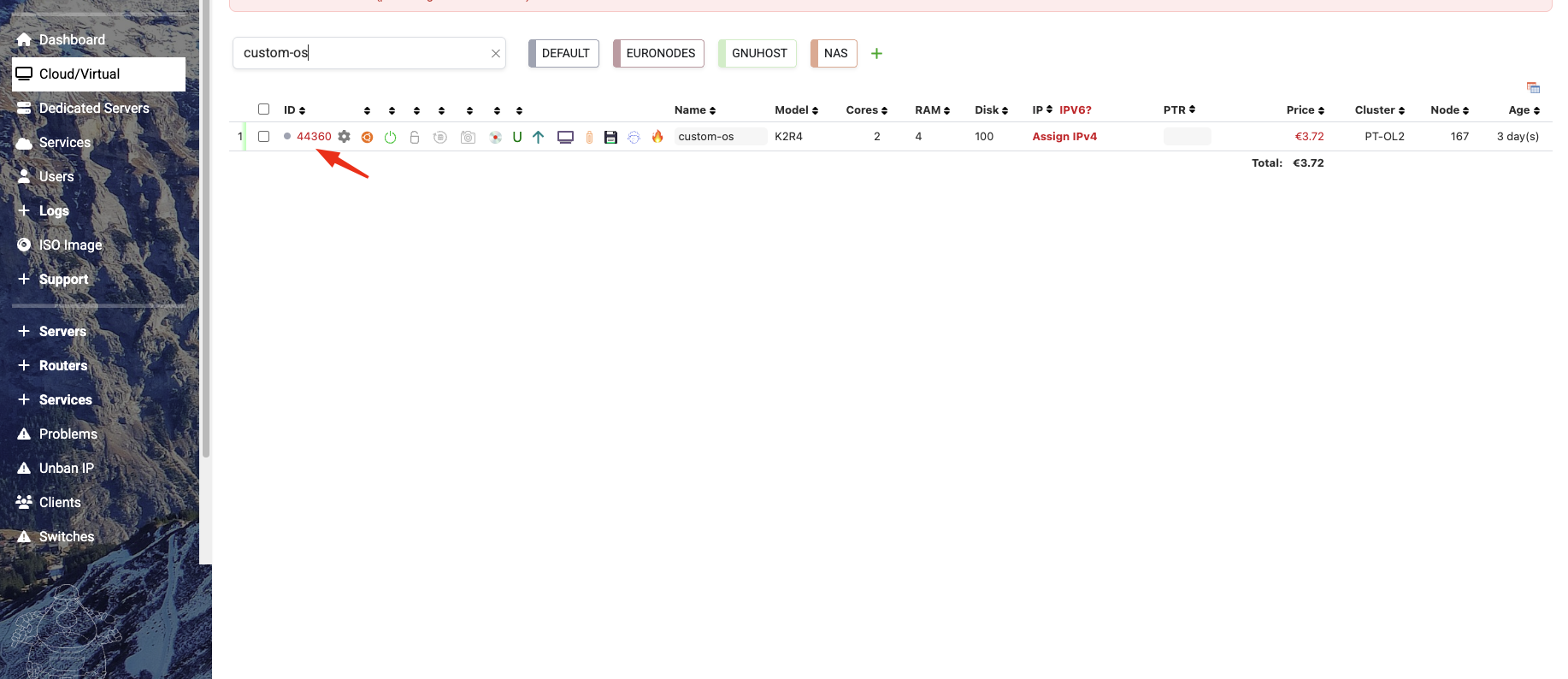
Turn OFF your VM!
You WILL NOT be able to install Windows if your VM is running beyond this point !!!
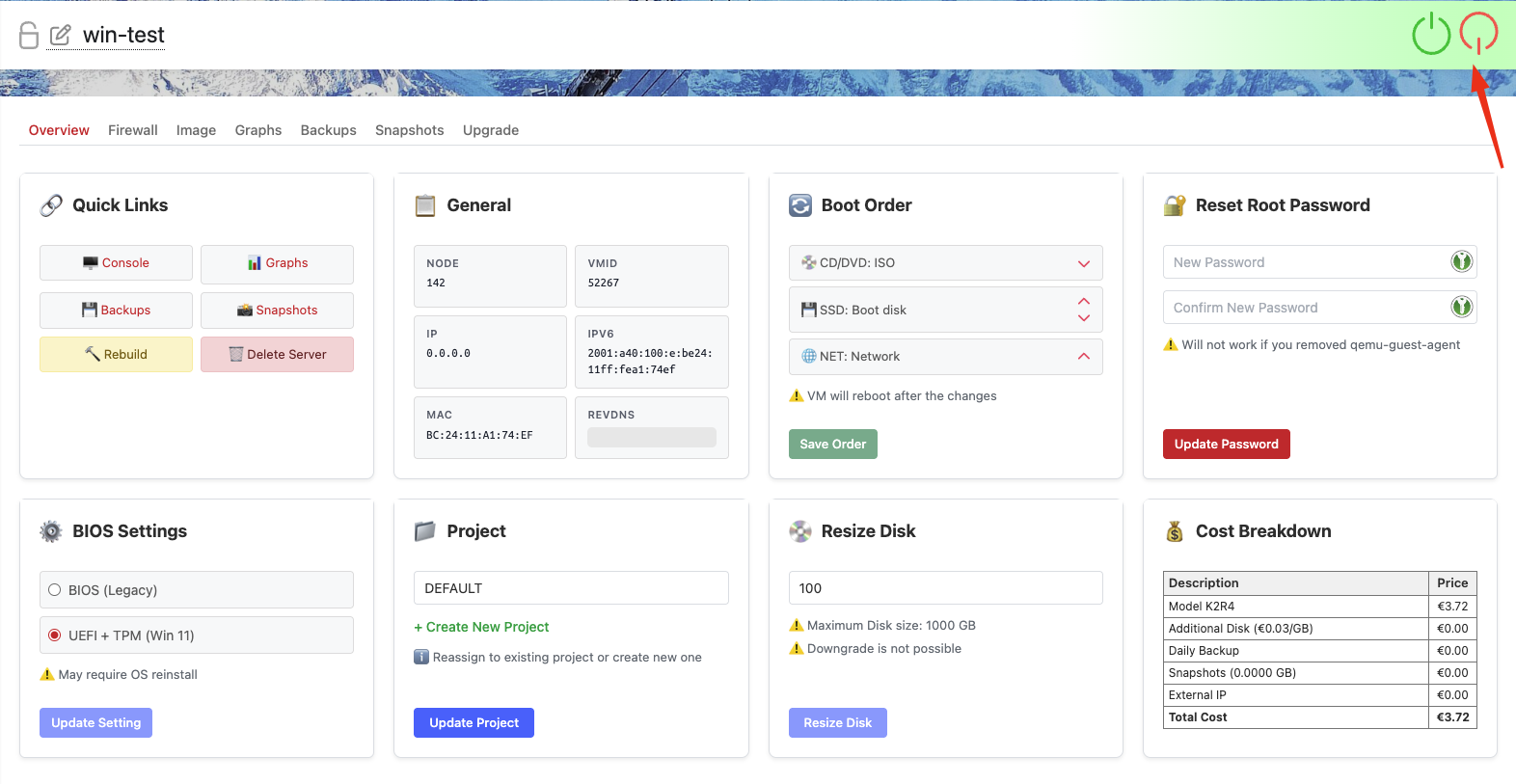
Did you turn off your VM?
If not, do it now. If not, you WILL NOT be able to install Windows
Remember! Always add two ISO during installation - Win11 and Virtio Drivers!
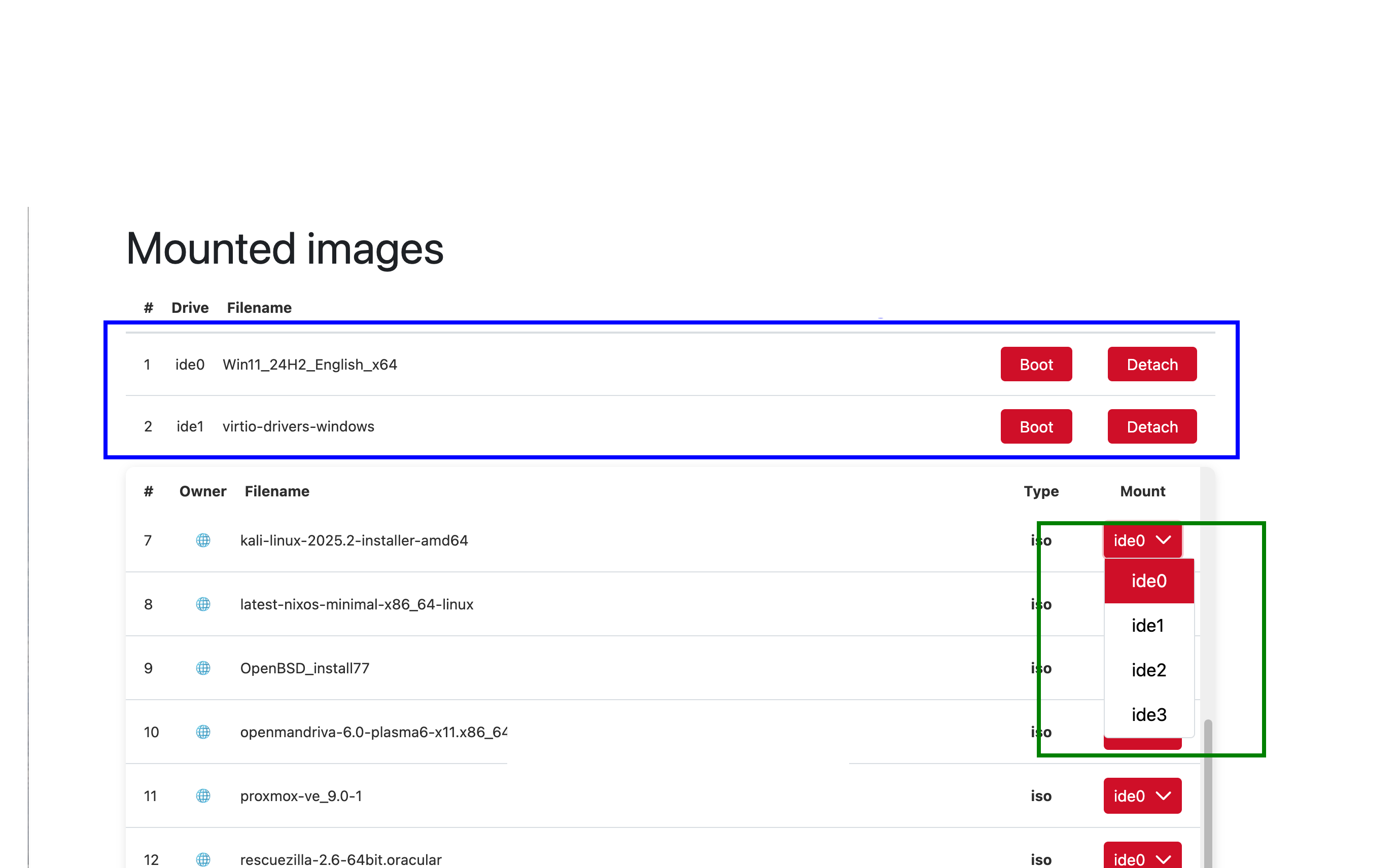
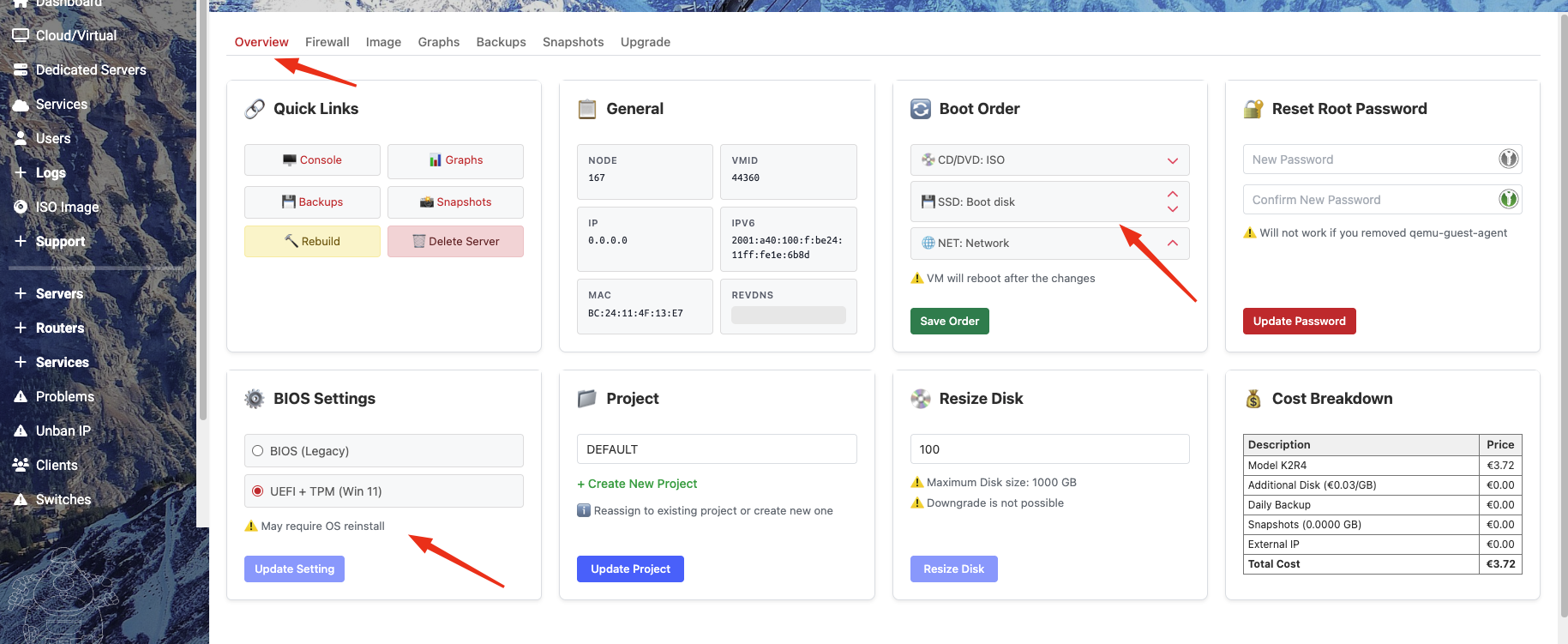
Then go to the "Overview" tab and set the Boot Driver: ISO must be at the top, with the disk below it, as in the attached screenshot. BIOS Settings: UEFI + TMP
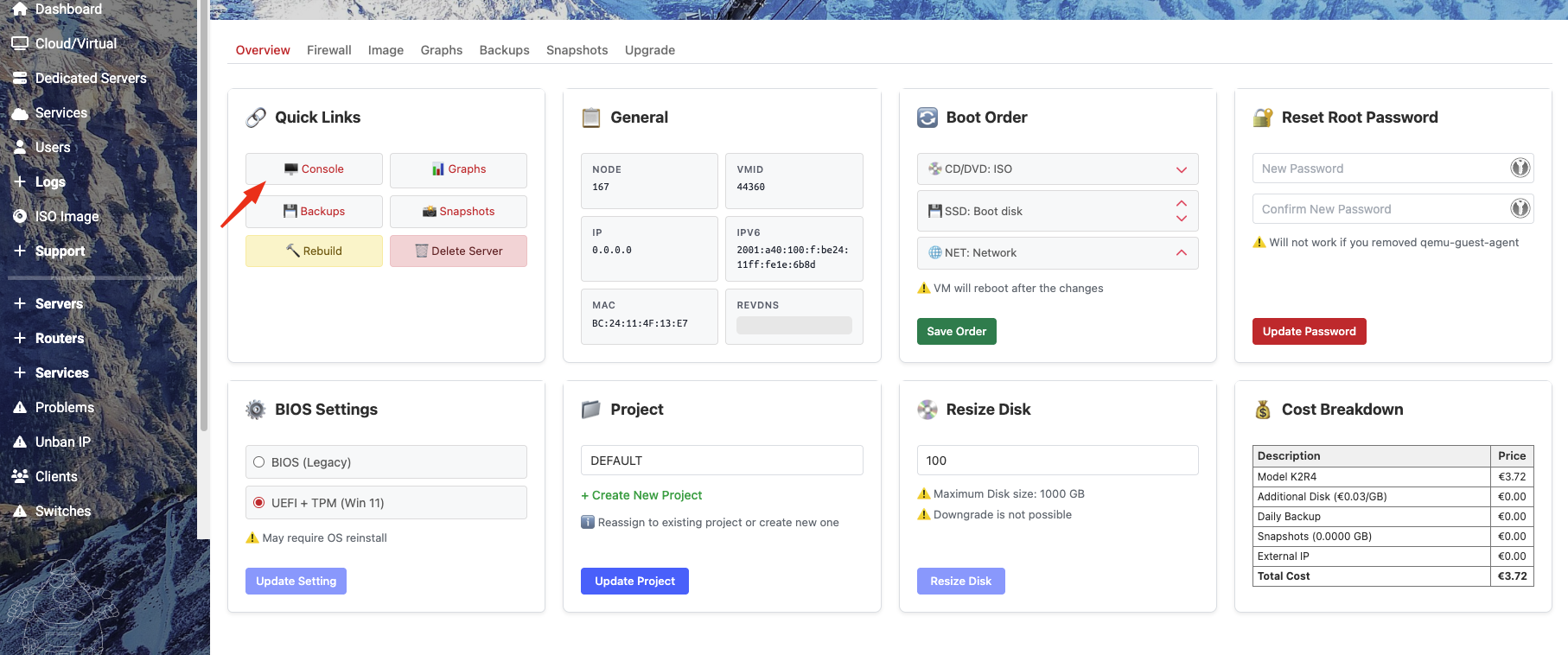
After saving all the settings above, start the console and your VM
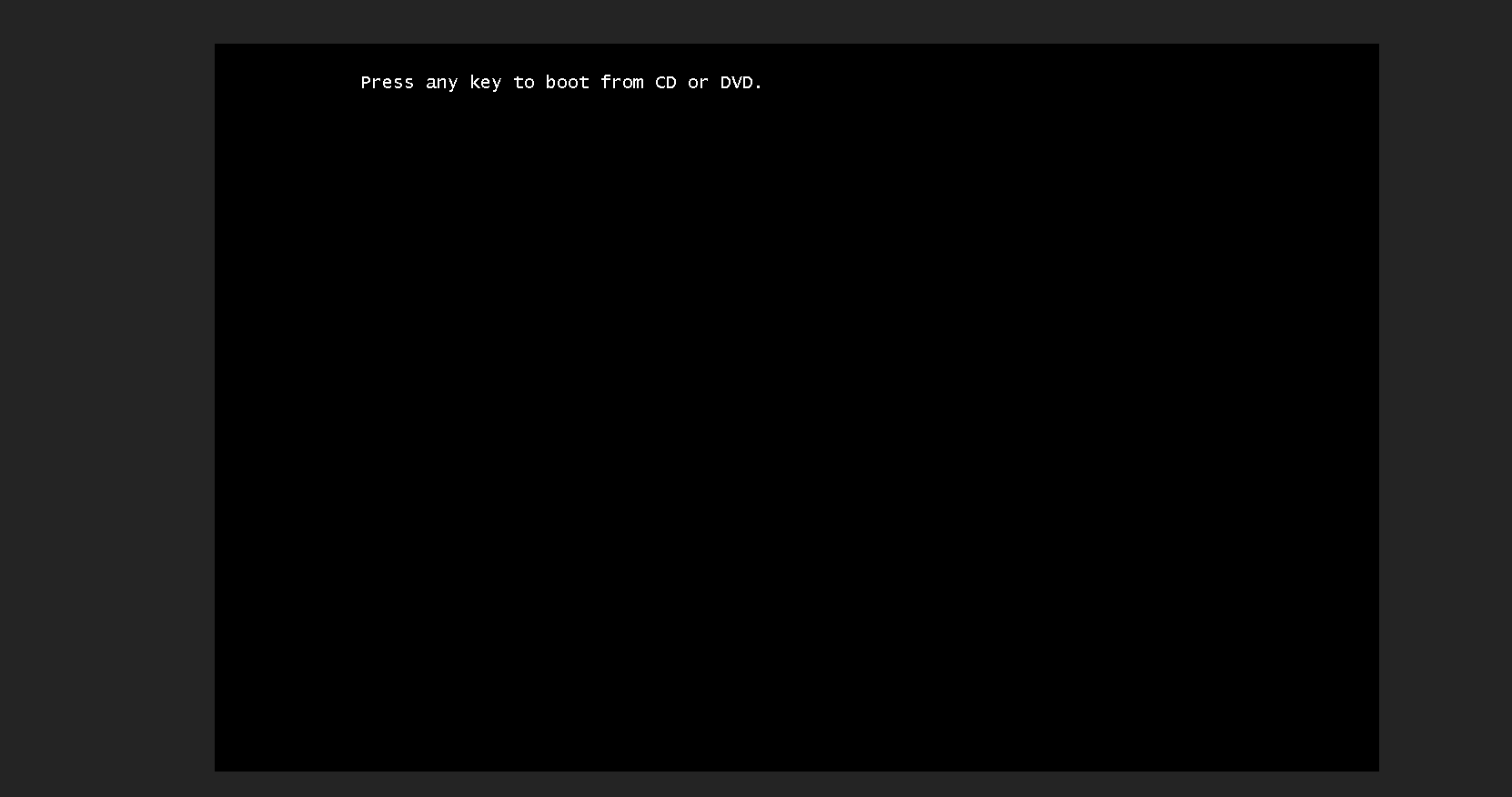
To start the Windows 11 installation, press any button in the console
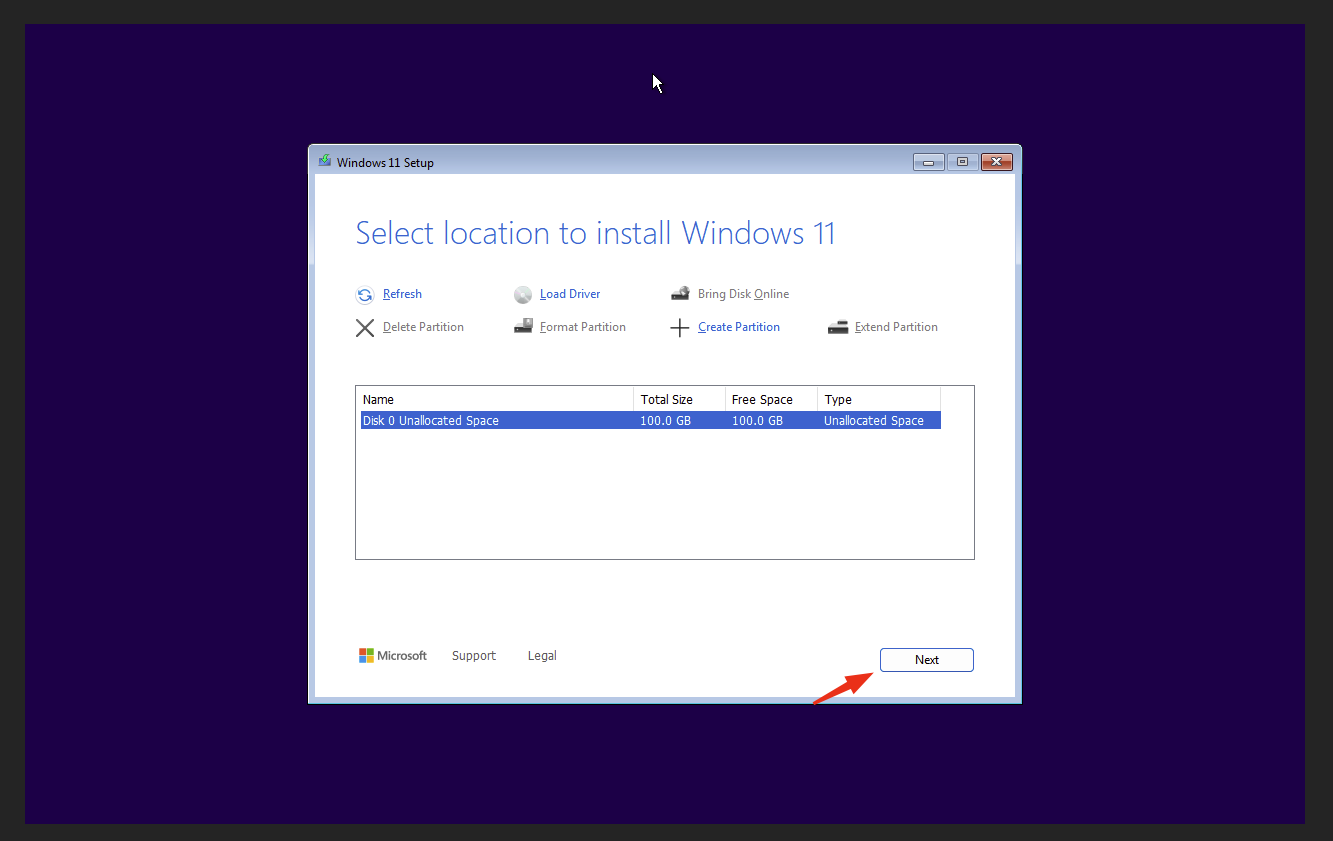
Load Driver
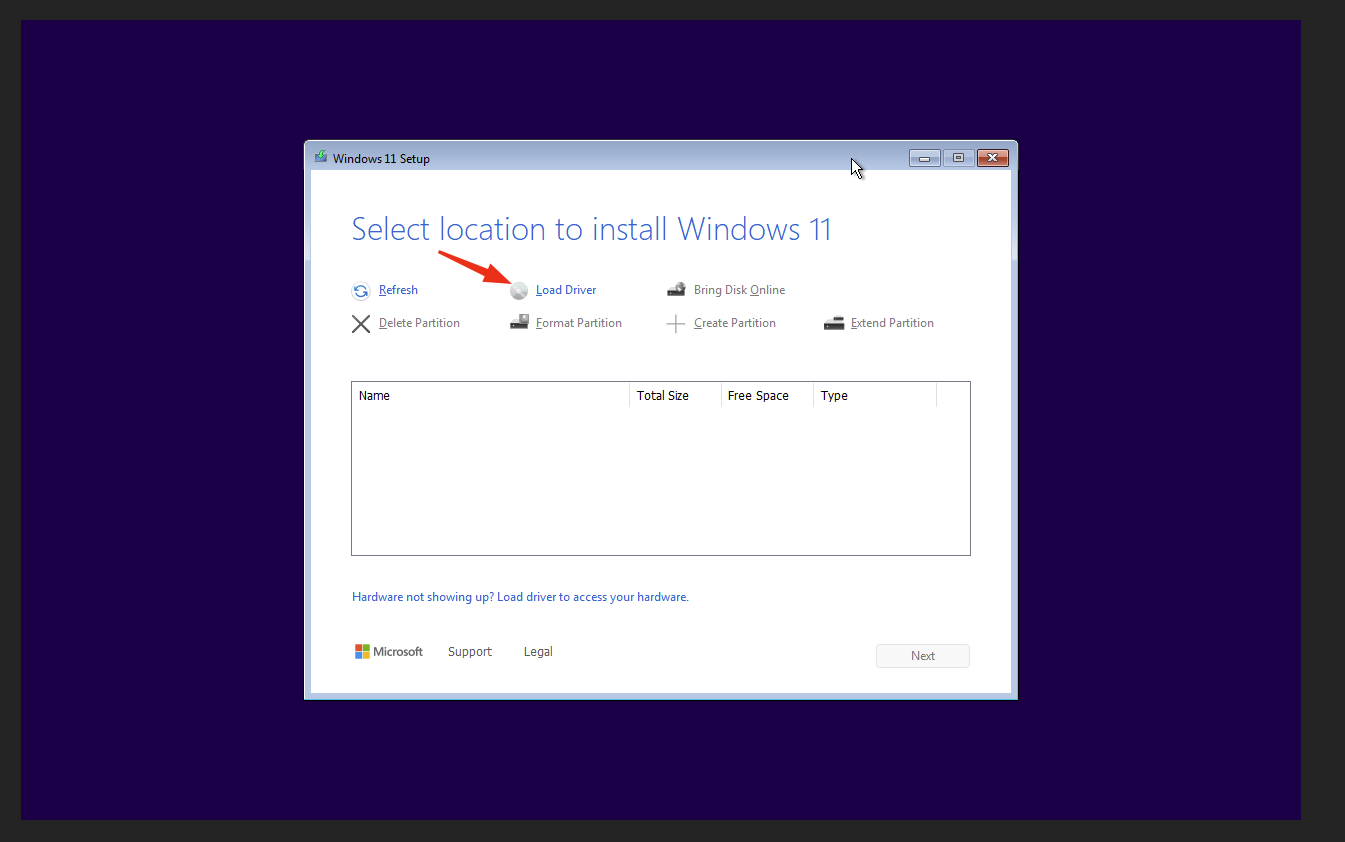
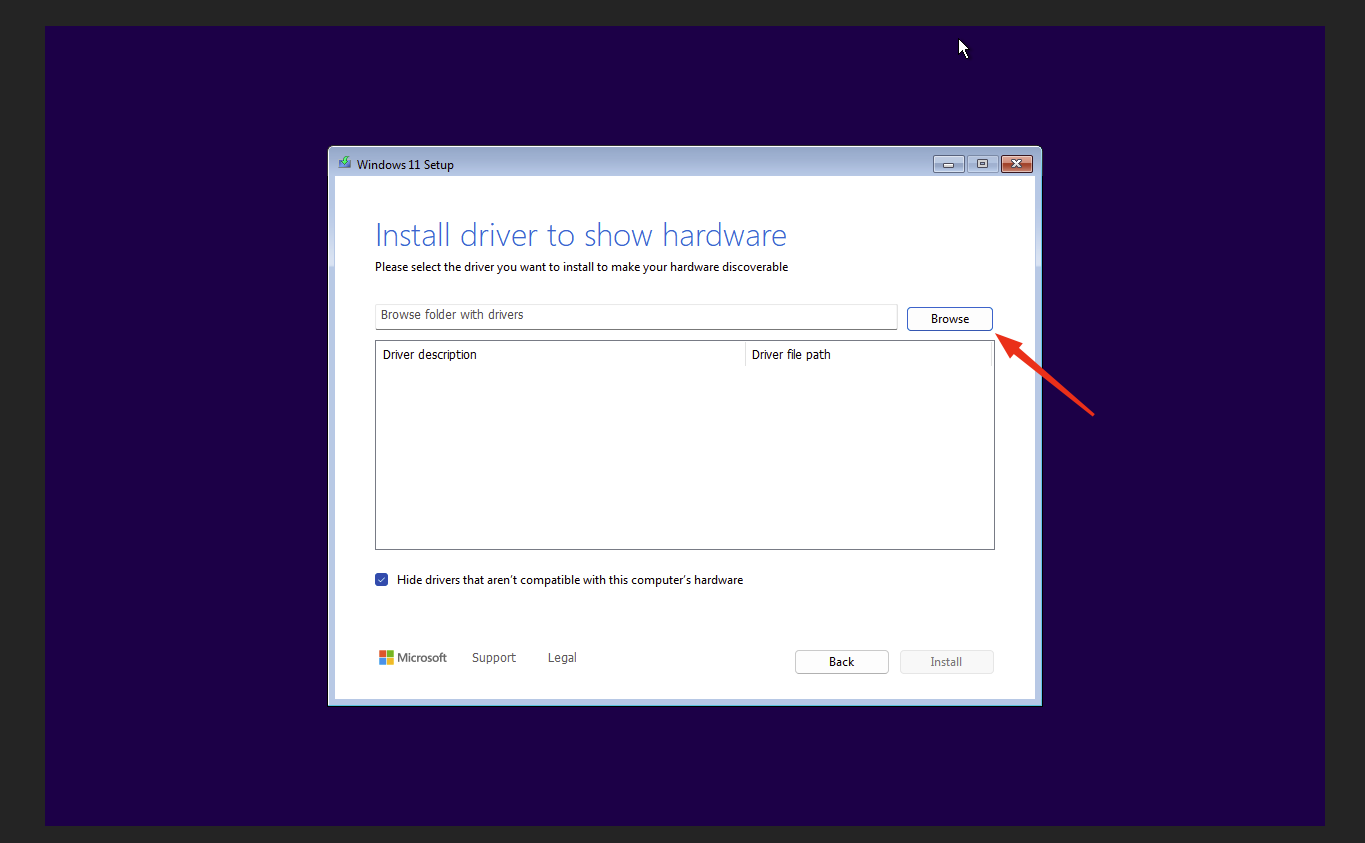
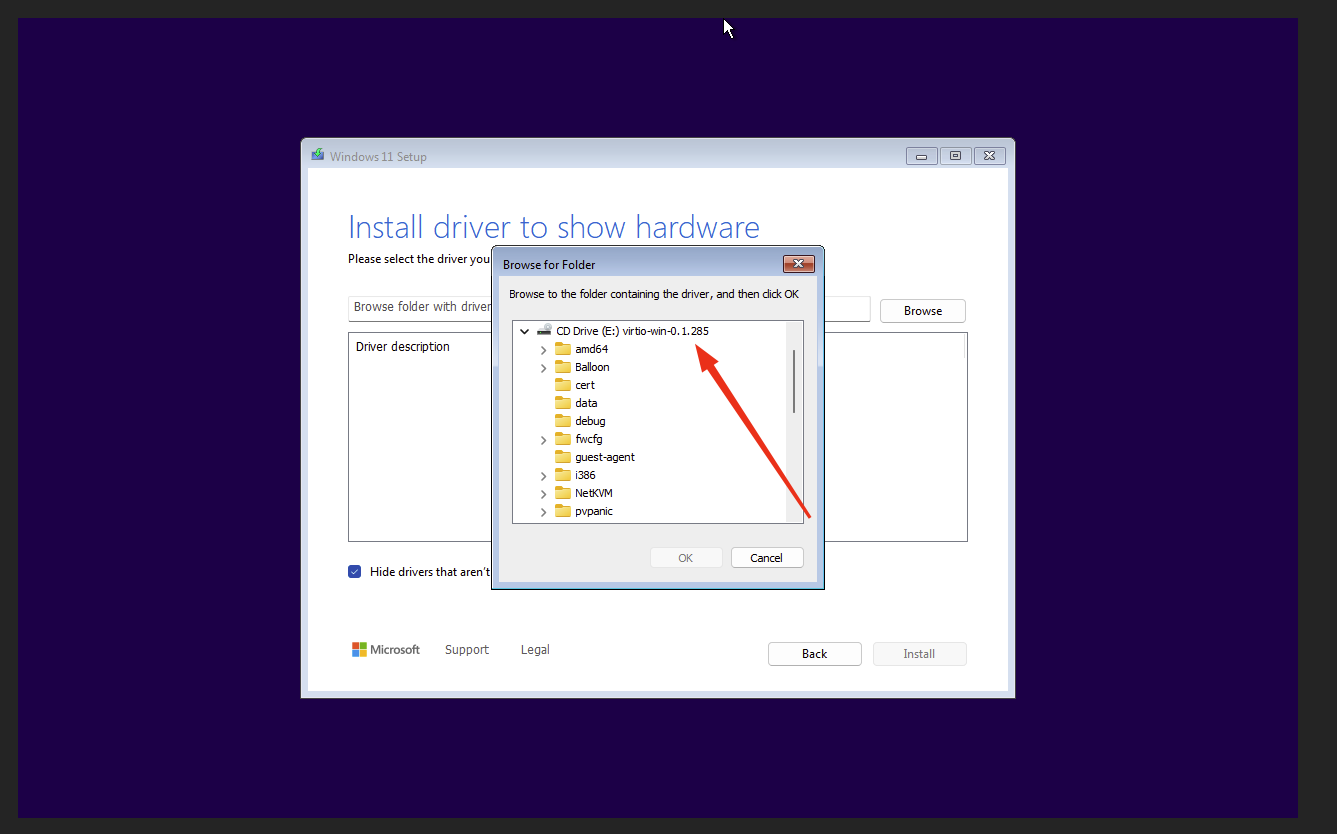
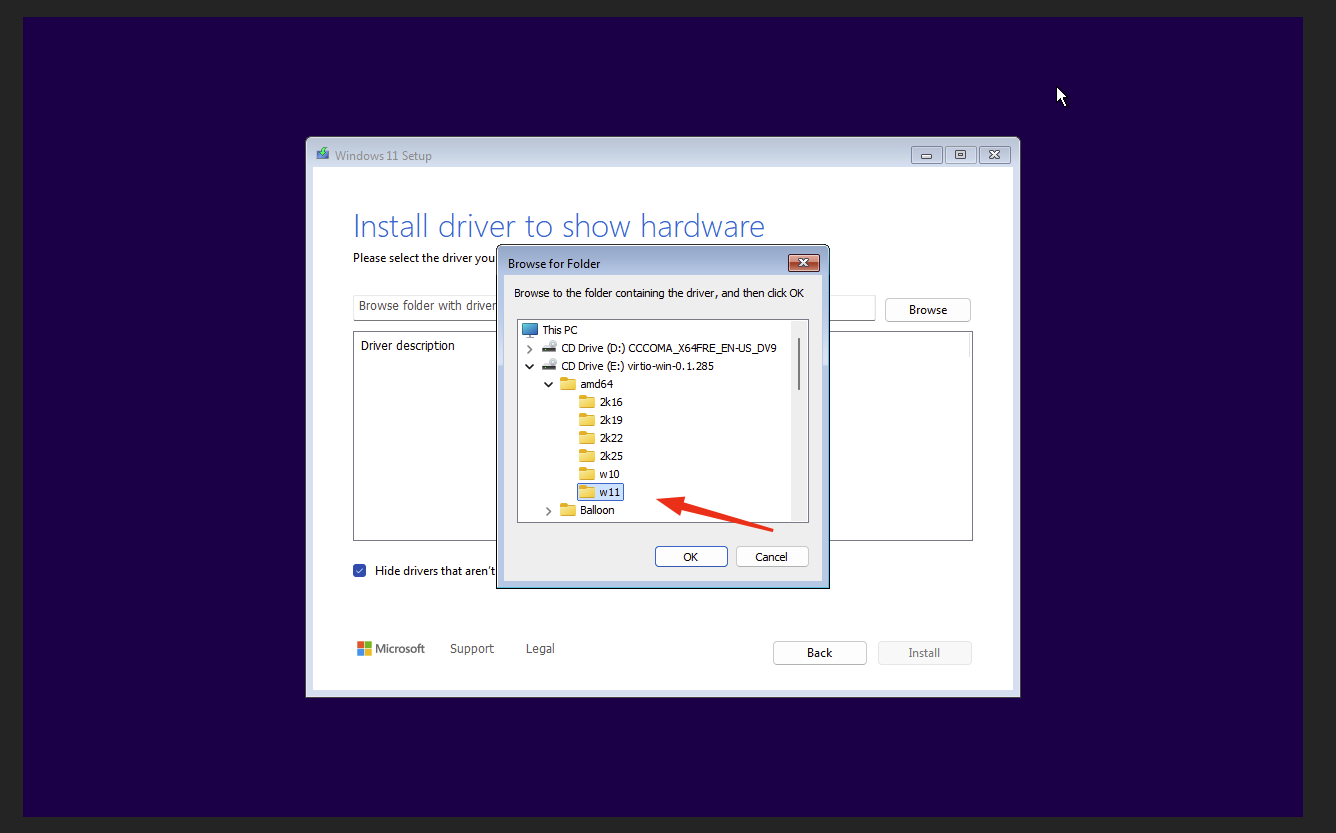
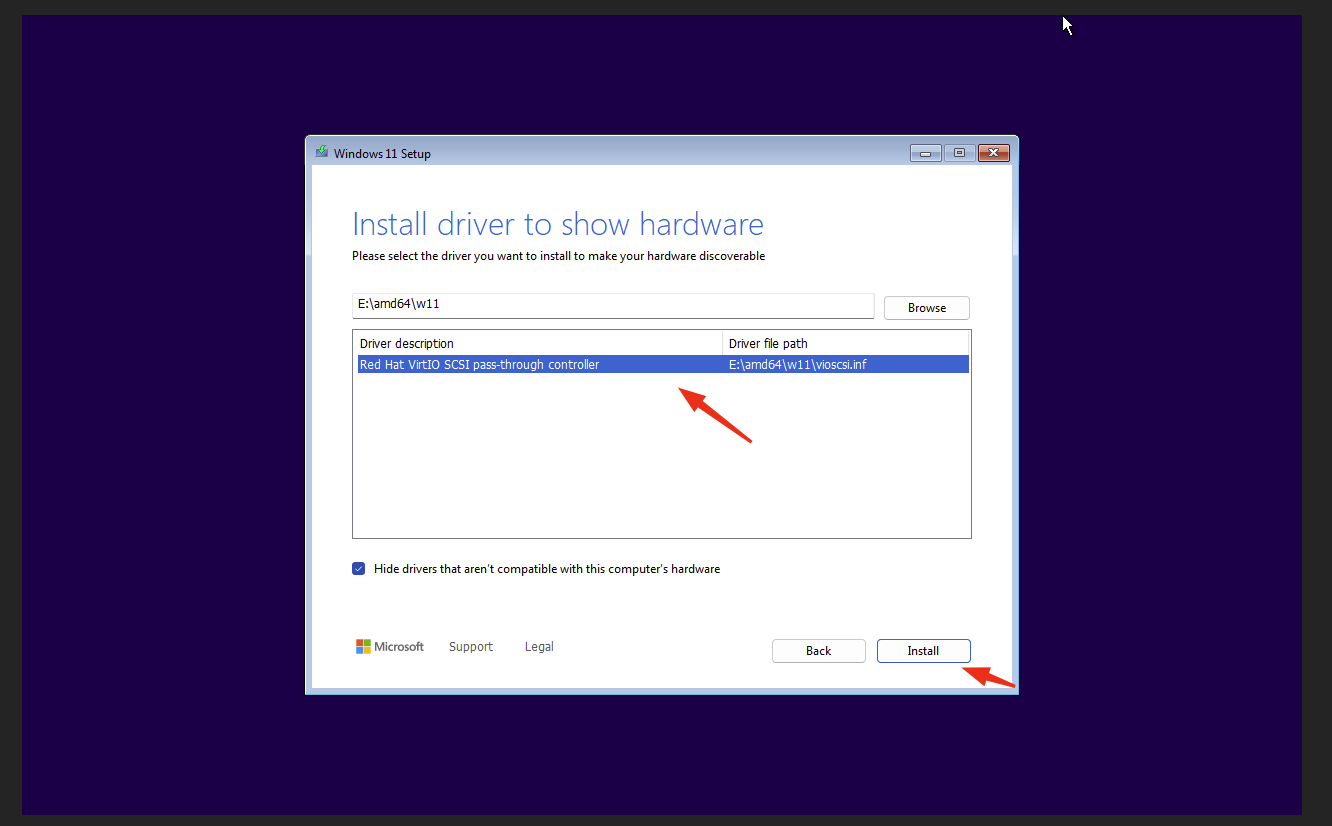
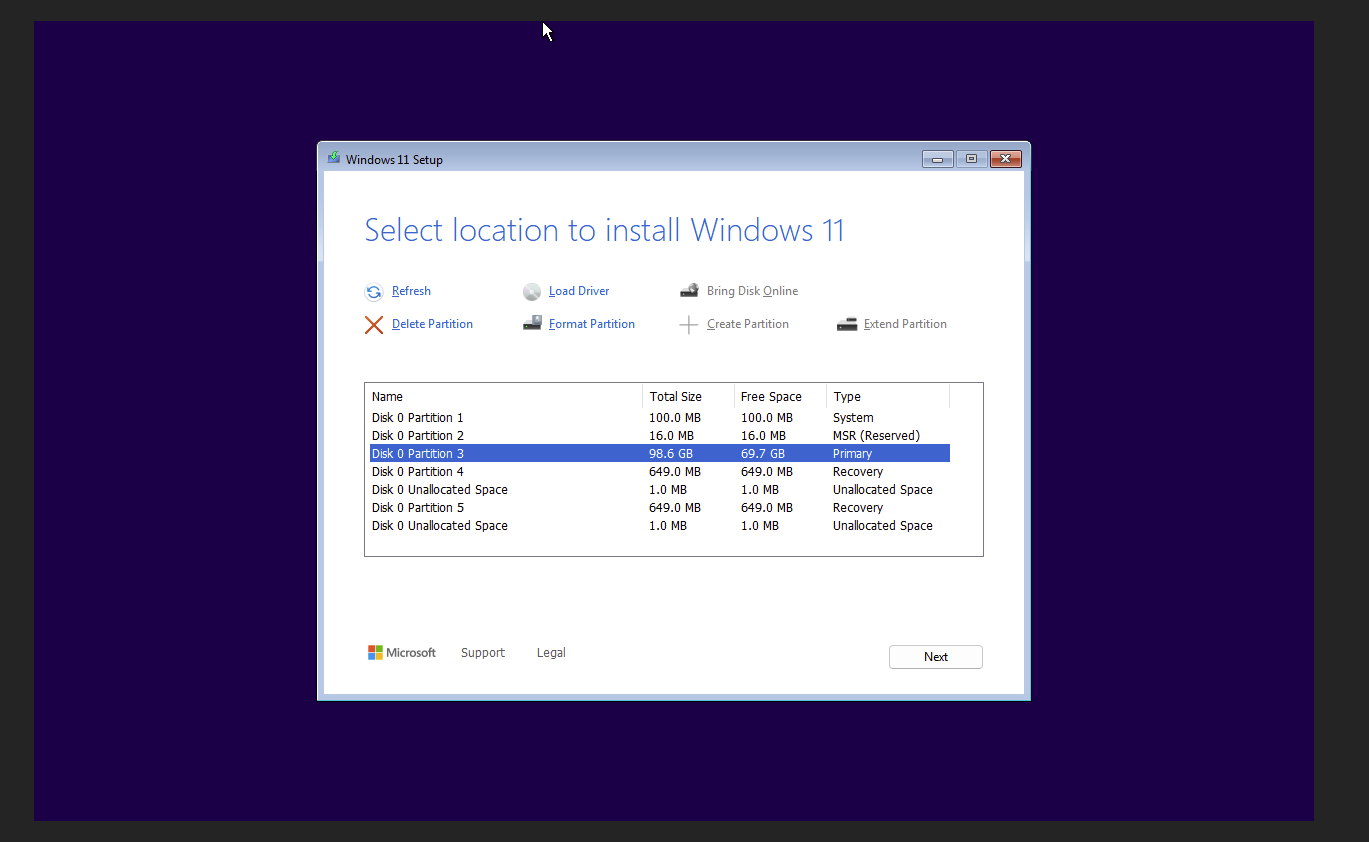
Delete Partition
Delete all partitions
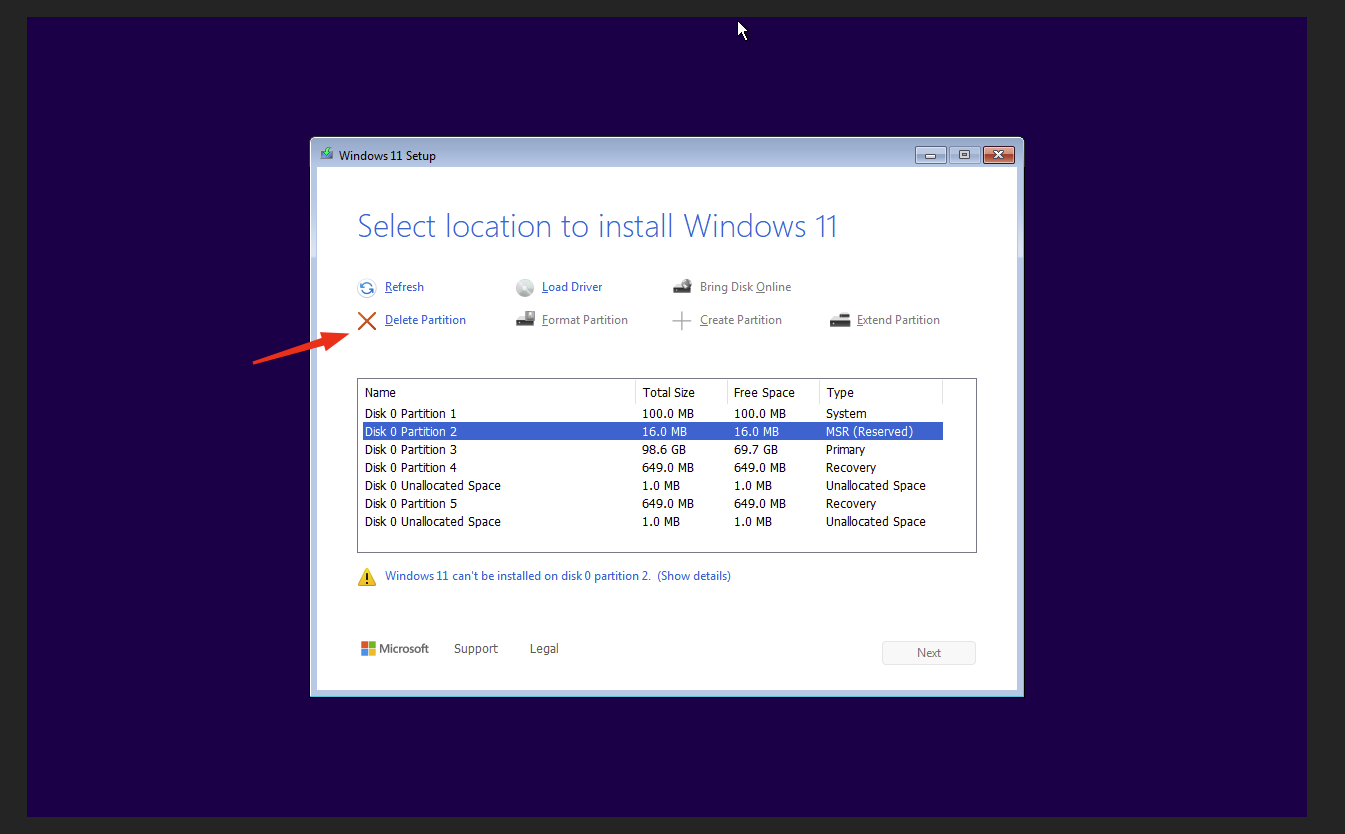
Select Disc and Start Installtion