Ordering VM
Step 1
To order a new machine, log in to the panel and select "New order" in the upper left corner.

Step 2
In the second step select:
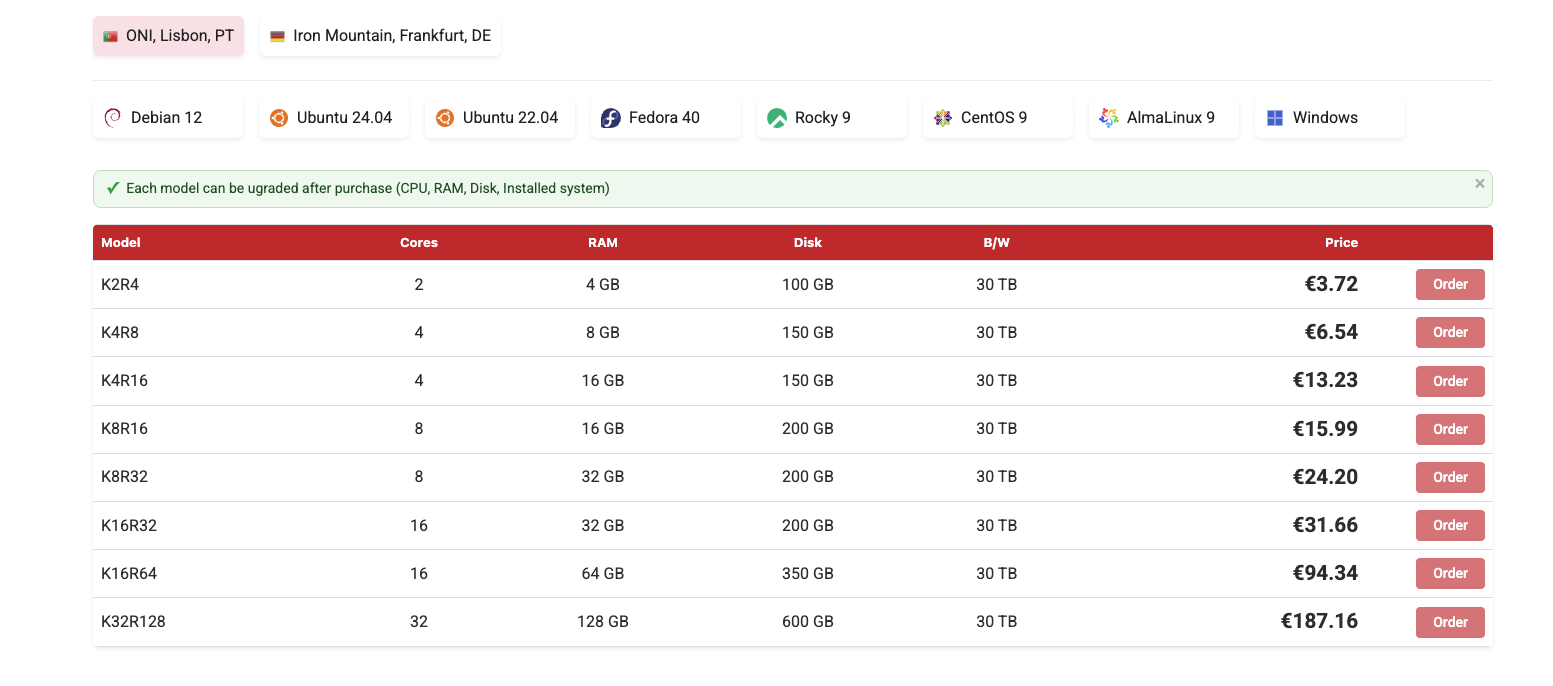
- Region where VM will be located (Portugal or Czech Republic)
- Operating system: (Debian, Ubuntu, etc.)
- Server model.
Which region?
Lisbon (Portugal) is our default and recommended VPS location. Choose Prague (Czech Republic) if you specifically need lower latency to Eastern Europe. Germany and Spain are not available for VPS (they are offered for colocation and dedicated servers only).
Model
The abbreviations in "Model" show us how much RAM and how many CPU cores. For example, K2R4 means 2 cores 4 RAM.

Step 3
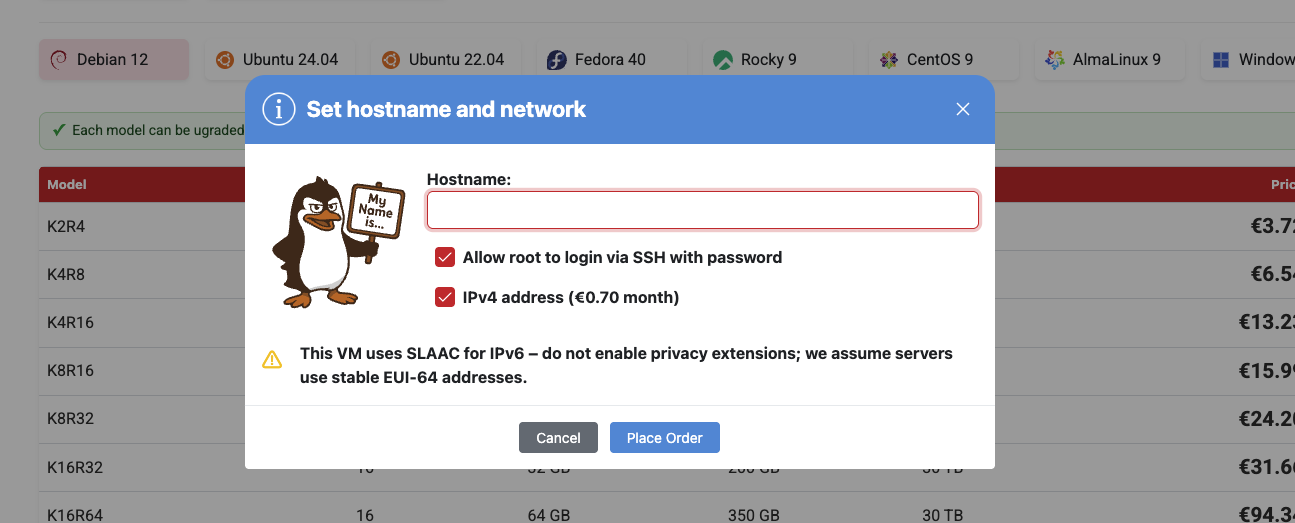
In the next step, after clicking "Order", provide the VM name and select the network.
IPv4
If IPv4 is unchecked, VM will automatically assign IP v6
Step 4
After clicking "Place Order" a window with the root password will appear.

Step 5
After about 2 minutes, the machine should appear in the panel (as in the screenshot below)
